INSTAAPPHUB · ANDROID GUIDE
Best Alternatives to Insta Pro APK for Android Users
Clear explanations, practical steps and key considerations for Android users.
Best Alternatives to Insta Pro APK for Android Users is a practical guide to finding lower-risk alternatives. It is written for Android users who want clear explanations rather than a promise that every unofficial feature works on every device. Insta Pro APK is commonly used as a label for altered Instagram clients, and the details can vary substantially between builds. That distinction matters whenever a feature involves login, downloading media, or a privacy-related setting.
This guide starts with the situations people actually encounter and then examines what to check, what to avoid, and what to do if the experience does not match the claim. We will not describe an unverified APK as virus-free, officially endorsed, or immune to account restrictions. Use the steps as a way to make a careful decision, not as a substitute for reviewing the exact file and its publisher.
Start With the Official Instagram App
The supported client is the baseline for authentication, messaging and updates. People who mostly scroll, message and post may not need a modified client. The important questions are what the tool actually changes, what data it can access, and whether the result still works after a service update.
- Review built-in settings before replacing the app. Official software cannot guarantee zero bugs, but its support model is clearer. If the action involves account credentials, protected messages or access to someone else’s content, take extra care. If a reliable official method solves the same problem, it is worth comparing that option before accepting the maintenance and trust costs of an unofficial application.
- For a practical evaluation, write down the exact version and the screen where you found the setting. Try to reproduce the ordinary task, such as locating a saved file or testing a visual option, without granting unrelated permissions. A missing control may be a version difference, while a login failure may be caused by a remote service change. Neither issue is automatically solved by downloading another file from an unknown page. When the evidence is limited, leave the feature described as an advertised possibility, not a proven guarantee.
Use Creator and Business Tools
Professional account features can help with publishing and account insight. A small business needs scheduled planning and analytics more than anonymous story viewing. The important questions are what the tool actually changes, what data it can access, and whether the result still works after a service update.
- Explore supported creator workflows appropriate for your account. Avoid services that demand unnecessary account credentials. If the action involves account credentials, protected messages or access to someone else’s content, take extra care. If a reliable official method solves the same problem, it is worth comparing that option before accepting the maintenance and trust costs of an unofficial application.
- For a practical evaluation, write down the exact version and the screen where you found the setting. Try to reproduce the ordinary task, such as locating a saved file or testing a visual option, without granting unrelated permissions. A missing control may be a version difference, while a login failure may be caused by a remote service change. Neither issue is automatically solved by downloading another file from an unknown page. When the evidence is limited, leave the feature described as an advertised possibility, not a proven guarantee.
Keep Original Media Exports
Editing apps and camera folders can preserve your own photos and reels. A creator with organized exports rarely needs to download their own compressed uploads. The important questions are what the tool actually changes, what data it can access, and whether the result still works after a service update.
- Save a master copy before publishing. Back up files to a trusted destination. If the action involves account credentials, protected messages or access to someone else’s content, take extra care. If a reliable official method solves the same problem, it is worth comparing that option before accepting the maintenance and trust costs of an unofficial application.
- For a practical evaluation, write down the exact version and the screen where you found the setting. Try to reproduce the ordinary task, such as locating a saved file or testing a visual option, without granting unrelated permissions. A missing control may be a version difference, while a login failure may be caused by a remote service change. Neither issue is automatically solved by downloading another file from an unknown page. When the evidence is limited, leave the feature described as an advertised possibility, not a proven guarantee.
Practical checklist
- Save a master copy before publishing.
- Confirm the actual software version and source before trusting a claim.
- Keep a way to return to your normal, officially supported workflow.
- Back up files to a trusted destination.
Choose Device Privacy Settings
Android notification and lock-screen settings address some privacy concerns. A shared phone can hide message previews without installing a modified social client. The important questions are what the tool actually changes, what data it can access, and whether the result still works after a service update.
- Use a strong device lock and review notification privacy. Device privacy settings cannot hide every activity signal on Instagram. If the action involves account credentials, protected messages or access to someone else’s content, take extra care. If a reliable official method solves the same problem, it is worth comparing that option before accepting the maintenance and trust costs of an unofficial application.
- For a practical evaluation, write down the exact version and the screen where you found the setting. Try to reproduce the ordinary task, such as locating a saved file or testing a visual option, without granting unrelated permissions. A missing control may be a version difference, while a login failure may be caused by a remote service change. Neither issue is automatically solved by downloading another file from an unknown page. When the evidence is limited, leave the feature described as an advertised possibility, not a proven guarantee.
Use Supported Activity Controls
Official account settings may offer options for activity visibility and message management. A user who dislikes constant responsiveness can also mute notifications or set personal boundaries. The important questions are what the tool actually changes, what data it can access, and whether the result still works after a service update.
- Review current options in Instagram Settings. Do not assume unofficial Ghost Mode offers stronger guarantees. If the action involves account credentials, protected messages or access to someone else’s content, take extra care. If a reliable official method solves the same problem, it is worth comparing that option before accepting the maintenance and trust costs of an unofficial application.
- For a practical evaluation, write down the exact version and the screen where you found the setting. Try to reproduce the ordinary task, such as locating a saved file or testing a visual option, without granting unrelated permissions. A missing control may be a version difference, while a login failure may be caused by a remote service change. Neither issue is automatically solved by downloading another file from an unknown page. When the evidence is limited, leave the feature described as an advertised possibility, not a proven guarantee.
Organize Collections and Bookmarks
Saving a post inside Instagram can be sufficient when offline access is unnecessary. A researcher collecting design examples needs retrieval more than local video files. The important questions are what the tool actually changes, what data it can access, and whether the result still works after a service update.
- Create topic-based collections and name them clearly. Saved items may disappear if the original creator deletes them. If the action involves account credentials, protected messages or access to someone else’s content, take extra care. If a reliable official method solves the same problem, it is worth comparing that option before accepting the maintenance and trust costs of an unofficial application.
- For a practical evaluation, write down the exact version and the screen where you found the setting. Try to reproduce the ordinary task, such as locating a saved file or testing a visual option, without granting unrelated permissions. A missing control may be a version difference, while a login failure may be caused by a remote service change. Neither issue is automatically solved by downloading another file from an unknown page. When the evidence is limited, leave the feature described as an advertised possibility, not a proven guarantee.
Ask Creators for Files or Permission
Permission resolves many issues technical downloaders cannot. A collaborator may gladly send an original clip at better quality than a social download. The important questions are what the tool actually changes, what data it can access, and whether the result still works after a service update.
- Request the format and permitted use directly. Never reupload someone else’s private content without consent. If the action involves account credentials, protected messages or access to someone else’s content, take extra care. If a reliable official method solves the same problem, it is worth comparing that option before accepting the maintenance and trust costs of an unofficial application.
- For a practical evaluation, write down the exact version and the screen where you found the setting. Try to reproduce the ordinary task, such as locating a saved file or testing a visual option, without granting unrelated permissions. A missing control may be a version difference, while a login failure may be caused by a remote service change. Neither issue is automatically solved by downloading another file from an unknown page. When the evidence is limited, leave the feature described as an advertised possibility, not a proven guarantee.
Practical checklist
- Request the format and permitted use directly.
- Confirm the actual software version and source before trusting a claim.
- Keep a way to return to your normal, officially supported workflow.
- Never reupload someone else’s private content without consent.
Evaluate Third-Party Tools Carefully
Every added tool creates a new account, browser or device trust decision. A helpful downloader that asks for password access may cost more than its convenience. The important questions are what the tool actually changes, what data it can access, and whether the result still works after a service update.
- Prefer tools that work without account login and have transparent publishers. A positive online review is not a substitute for security diligence. If the action involves account credentials, protected messages or access to someone else’s content, take extra care. If a reliable official method solves the same problem, it is worth comparing that option before accepting the maintenance and trust costs of an unofficial application.
- For a practical evaluation, write down the exact version and the screen where you found the setting. Try to reproduce the ordinary task, such as locating a saved file or testing a visual option, without granting unrelated permissions. A missing control may be a version difference, while a login failure may be caused by a remote service change. Neither issue is automatically solved by downloading another file from an unknown page. When the evidence is limited, leave the feature described as an advertised possibility, not a proven guarantee.
Build a Minimal Toolset
The best option often combines a supported social app with dependable file management. A photographer can use original camera files, editing software and official Instagram without a mod. The important questions are what the tool actually changes, what data it can access, and whether the result still works after a service update.
- Choose the smallest set of tools that meets your practical needs. Complex workflows multiply maintenance and privacy risks. If the action involves account credentials, protected messages or access to someone else’s content, take extra care. If a reliable official method solves the same problem, it is worth comparing that option before accepting the maintenance and trust costs of an unofficial application.
- For a practical evaluation, write down the exact version and the screen where you found the setting. Try to reproduce the ordinary task, such as locating a saved file or testing a visual option, without granting unrelated permissions. A missing control may be a version difference, while a login failure may be caused by a remote service change. Neither issue is automatically solved by downloading another file from an unknown page. When the evidence is limited, leave the feature described as an advertised possibility, not a proven guarantee.
Questions Readers Often Ask
What is the most reliable alternative?
The official Instagram application is the standard choice for daily posting and messaging. The exact answer may also depend on your app build, Android version, and Instagram account settings. If the result affects account security, verify it through a trusted official channel rather than relying only on an unofficial app description.
- Keep original project exports and use supported account tools.
- Yes. Screen locks and notification privacy address common local concerns.
How can creators save their own reels?
It depends on the APK release and your phone. Check the version details, current app permissions, and official Instagram options before relying on this feature.
Are device-level privacy controls useful?
It depends on the APK release and your phone. Check the version details, current app permissions, and official Instagram options before relying on this feature.
Are third-party downloaders risk-free?
No unofficial build can be assumed safe from its name alone. Review the source, Android permissions, and account security before deciding.
Which setup works for most people?
It depends on the APK release and your phone. Check the version details, current app permissions, and official Instagram options before relying on this feature.
Further Reading on Insta App Hub
Continue with these focused guides if you want to compare features, understand the risks, or solve a specific problem before making a change.
- What Is Insta Pro APK? Features, Limitations and How It Works
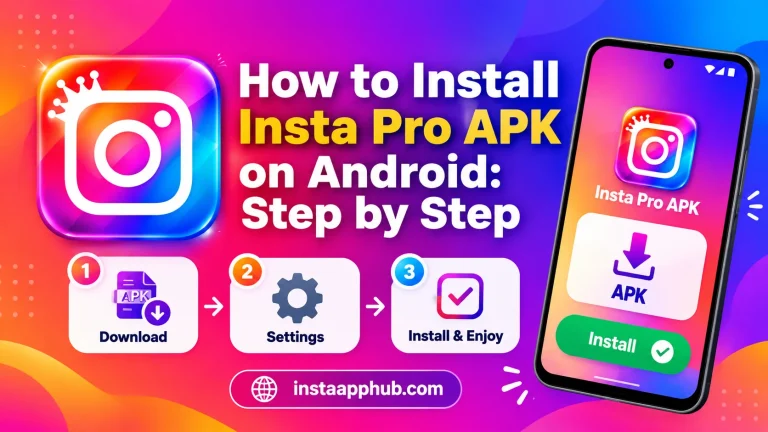
- How to Install Insta Pro APK on Android: Step by Step
- How to Download Instagram Reels, Photos and Stories Responsibly
Return to the Insta Pro APK homepage to explore the full guide and related resources.