INSTAAPPHUB · ANDROID GUIDE
How to Download Instagram Reels, Photos and Stories Responsibly
Clear explanations, practical steps and key considerations for Android users.
How to Download Instagram Reels, Photos and Stories Responsibly is a practical guide to saving Instagram media carefully. It is written for Android users who want clear explanations rather than a promise that every unofficial feature works on every device. Insta Pro APK is commonly used as a label for altered Instagram clients, and the details can vary substantially between builds. That distinction matters whenever a feature involves login, downloading media, or a privacy-related setting.
This guide starts with the situations people actually encounter and then examines what to check, what to avoid, and what to do if the experience does not match the claim. We will not describe an unverified APK as virus-free, officially endorsed, or immune to account restrictions. Use the steps as a way to make a careful decision, not as a substitute for reviewing the exact file and its publisher.
Know What You Own
You can usually make legitimate backups of material you created yourself. A creator preparing a portfolio may need copies of their original reel exports. The important questions are what the tool actually changes, what data it can access, and whether the result still works after a service update.
- Locate your original project files before attempting to download compressed social copies. Public visibility does not automatically grant reuse permission. If the action involves account credentials, protected messages or access to someone else’s content, take extra care. If a reliable official method solves the same problem, it is worth comparing that option before accepting the maintenance and trust costs of an unofficial application.
- For a practical evaluation, write down the exact version and the screen where you found the setting. Try to reproduce the ordinary task, such as locating a saved file or testing a visual option, without granting unrelated permissions. A missing control may be a version difference, while a login failure may be caused by a remote service change. Neither issue is automatically solved by downloading another file from an unknown page. When the evidence is limited, leave the feature described as an advertised possibility, not a proven guarantee.
Check Supported Official Methods
Instagram provides some account and content management tools, subject to current feature availability. A saved collection inside an app is not identical to a downloaded video file. The important questions are what the tool actually changes, what data it can access, and whether the result still works after a service update.
- Look for built-in save, share or account data options first. Features vary by region, content type and account. If the action involves account credentials, protected messages or access to someone else’s content, take extra care. If a reliable official method solves the same problem, it is worth comparing that option before accepting the maintenance and trust costs of an unofficial application.
- For a practical evaluation, write down the exact version and the screen where you found the setting. Try to reproduce the ordinary task, such as locating a saved file or testing a visual option, without granting unrelated permissions. A missing control may be a version difference, while a login failure may be caused by a remote service change. Neither issue is automatically solved by downloading another file from an unknown page. When the evidence is limited, leave the feature described as an advertised possibility, not a proven guarantee.
When You Need Permission
Creators may allow personal reference but not public republication. Sharing a story screenshot in a large group can breach an expectation of limited audience. The important questions are what the tool actually changes, what data it can access, and whether the result still works after a service update.
- Ask for permission and record what use was agreed. Do not assume that credit alone replaces consent. If the action involves account credentials, protected messages or access to someone else’s content, take extra care. If a reliable official method solves the same problem, it is worth comparing that option before accepting the maintenance and trust costs of an unofficial application.
- For a practical evaluation, write down the exact version and the screen where you found the setting. Try to reproduce the ordinary task, such as locating a saved file or testing a visual option, without granting unrelated permissions. A missing control may be a version difference, while a login failure may be caused by a remote service change. Neither issue is automatically solved by downloading another file from an unknown page. When the evidence is limited, leave the feature described as an advertised possibility, not a proven guarantee.
Practical checklist
- Ask for permission and record what use was agreed.
- Confirm the actual software version and source before trusting a claim.
- Keep a way to return to your normal, officially supported workflow.
- Do not assume that credit alone replaces consent.
Video Quality and Compression
Downloading an already uploaded reel cannot recreate the pristine source file. A 1080p-looking clip can contain heavy compression despite a large file size. The important questions are what the tool actually changes, what data it can access, and whether the result still works after a service update.
- Keep original exports as your archive master whenever possible. Beware services claiming impossible quality recovery. If the action involves account credentials, protected messages or access to someone else’s content, take extra care. If a reliable official method solves the same problem, it is worth comparing that option before accepting the maintenance and trust costs of an unofficial application.
- For a practical evaluation, write down the exact version and the screen where you found the setting. Try to reproduce the ordinary task, such as locating a saved file or testing a visual option, without granting unrelated permissions. A missing control may be a version difference, while a login failure may be caused by a remote service change. Neither issue is automatically solved by downloading another file from an unknown page. When the evidence is limited, leave the feature described as an advertised possibility, not a proven guarantee.
File Naming and Folders
Clear organization reduces accidental sharing and duplicate files. A folder containing both work assets and private friend stories becomes difficult to manage. The important questions are what the tool actually changes, what data it can access, and whether the result still works after a service update.
- Use separate directories, meaningful names and dates. Do not expose private media in shared backup folders. If the action involves account credentials, protected messages or access to someone else’s content, take extra care. If a reliable official method solves the same problem, it is worth comparing that option before accepting the maintenance and trust costs of an unofficial application.
- For a practical evaluation, write down the exact version and the screen where you found the setting. Try to reproduce the ordinary task, such as locating a saved file or testing a visual option, without granting unrelated permissions. A missing control may be a version difference, while a login failure may be caused by a remote service change. Neither issue is automatically solved by downloading another file from an unknown page. When the evidence is limited, leave the feature described as an advertised possibility, not a proven guarantee.
Device Storage and Data Use
Repeated reel downloads can fill a phone quickly. A user who saves dozens of videos on mobile data may face unexpected charges. The important questions are what the tool actually changes, what data it can access, and whether the result still works after a service update.
- Review available storage and decide which files genuinely need offline access. Deleting app cache may not delete videos saved elsewhere. If the action involves account credentials, protected messages or access to someone else’s content, take extra care. If a reliable official method solves the same problem, it is worth comparing that option before accepting the maintenance and trust costs of an unofficial application.
- For a practical evaluation, write down the exact version and the screen where you found the setting. Try to reproduce the ordinary task, such as locating a saved file or testing a visual option, without granting unrelated permissions. A missing control may be a version difference, while a login failure may be caused by a remote service change. Neither issue is automatically solved by downloading another file from an unknown page. When the evidence is limited, leave the feature described as an advertised possibility, not a proven guarantee.
Risks of Third-Party Downloaders
Some sites require logins, push permissions or unrelated app installations. A simple media download should not require your Instagram password in a web form. The important questions are what the tool actually changes, what data it can access, and whether the result still works after a service update.
- Avoid credential requests and excessive browser notifications. Fake download buttons can redirect to harmful files. If the action involves account credentials, protected messages or access to someone else’s content, take extra care. If a reliable official method solves the same problem, it is worth comparing that option before accepting the maintenance and trust costs of an unofficial application.
- For a practical evaluation, write down the exact version and the screen where you found the setting. Try to reproduce the ordinary task, such as locating a saved file or testing a visual option, without granting unrelated permissions. A missing control may be a version difference, while a login failure may be caused by a remote service change. Neither issue is automatically solved by downloading another file from an unknown page. When the evidence is limited, leave the feature described as an advertised possibility, not a proven guarantee.
Practical checklist
- Avoid credential requests and excessive browser notifications.
- Confirm the actual software version and source before trusting a claim.
- Keep a way to return to your normal, officially supported workflow.
- Fake download buttons can redirect to harmful files.
Respect Private Accounts
Private content is shared with a defined audience, not the entire internet. A friend granting story access may still object to permanent archival. The important questions are what the tool actually changes, what data it can access, and whether the result still works after a service update.
- Ask before storing or forwarding private stories or messages. Saving a file does not change its confidentiality. If the action involves account credentials, protected messages or access to someone else’s content, take extra care. If a reliable official method solves the same problem, it is worth comparing that option before accepting the maintenance and trust costs of an unofficial application.
- For a practical evaluation, write down the exact version and the screen where you found the setting. Try to reproduce the ordinary task, such as locating a saved file or testing a visual option, without granting unrelated permissions. A missing control may be a version difference, while a login failure may be caused by a remote service change. Neither issue is automatically solved by downloading another file from an unknown page. When the evidence is limited, leave the feature described as an advertised possibility, not a proven guarantee.
A Sustainable Backup Workflow
Backups are easier when you keep originals, versions and source notes. Creators who export from editing tools before uploading retain higher-quality copies. The important questions are what the tool actually changes, what data it can access, and whether the result still works after a service update.
- Use trusted storage and periodically check you can restore your files. Do not depend on an unofficial APK as your only archive. If the action involves account credentials, protected messages or access to someone else’s content, take extra care. If a reliable official method solves the same problem, it is worth comparing that option before accepting the maintenance and trust costs of an unofficial application.
- For a practical evaluation, write down the exact version and the screen where you found the setting. Try to reproduce the ordinary task, such as locating a saved file or testing a visual option, without granting unrelated permissions. A missing control may be a version difference, while a login failure may be caused by a remote service change. Neither issue is automatically solved by downloading another file from an unknown page. When the evidence is limited, leave the feature described as an advertised possibility, not a proven guarantee.
Questions Readers Often Ask
Can I download someone else’s reel and repost it?
Seek the creator’s permission; being able to save content does not grant redistribution rights. The exact answer may also depend on your app build, Android version, and Instagram account settings. If the result affects account security, verify it through a trusted official channel rather than relying only on an unofficial app description.
- No. In-app saves and locally downloaded files are different.
- It generally cannot restore details that were removed during platform compression.
Is a saved collection an offline video file?
It depends on the APK release and your phone. Check the version details, current app permissions, and official Instagram options before relying on this feature.
Can downloading increase quality?
It depends on the APK release and your phone. Check the version details, current app permissions, and official Instagram options before relying on this feature.
Should a downloader ask for my Instagram password?
It depends on the APK release and your phone. Check the version details, current app permissions, and official Instagram options before relying on this feature.
How should I store private media?
It depends on the APK release and your phone. Check the version details, current app permissions, and official Instagram options before relying on this feature.
Further Reading on Insta App Hub
Continue with these focused guides if you want to compare features, understand the risks, or solve a specific problem before making a change.
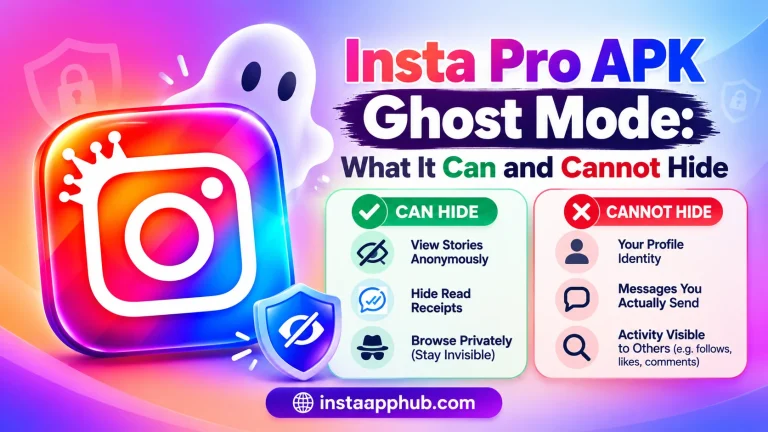
- Insta Pro APK Ghost Mode: What It Can and Cannot Hide
- What Is Insta Pro APK? Features, Limitations and How It Works
- How to Install Insta Pro APK on Android: Step by Step
Return to the Insta Pro APK homepage to explore the full guide and related resources.