INSTAAPPHUB · ANDROID GUIDE
Insta Pro APK Features Explained: Downloads, Ghost Mode and Themes
Clear explanations, practical steps and key considerations for Android users.
Insta Pro APK Features Explained: Downloads, Ghost Mode and Themes is a practical guide to evaluating advertised features. It is written for Android users who want clear explanations rather than a promise that every unofficial feature works on every device. Insta Pro APK is commonly used as a label for altered Instagram clients, and the details can vary substantially between builds. That distinction matters whenever a feature involves login, downloading media, or a privacy-related setting.
This guide starts with the situations people actually encounter and then examines what to check, what to avoid, and what to do if the experience does not match the claim. We will not describe an unverified APK as virus-free, officially endorsed, or immune to account restrictions. Use the steps as a way to make a careful decision, not as a substitute for reviewing the exact file and its publisher.
Built-In Photo Saving
Some modified clients expose a save action beside individual photo posts. A user might save their own artwork for a backup folder without taking screenshots. The important questions are what the tool actually changes, what data it can access, and whether the result still works after a service update.
- Check output quality, storage location and whether the action exists in your specific version. Respect copyright and private account boundaries. If the action involves account credentials, protected messages or access to someone else’s content, take extra care. If a reliable official method solves the same problem, it is worth comparing that option before accepting the maintenance and trust costs of an unofficial application.
- For a practical evaluation, write down the exact version and the screen where you found the setting. Try to reproduce the ordinary task, such as locating a saved file or testing a visual option, without granting unrelated permissions. A missing control may be a version difference, while a login failure may be caused by a remote service change. Neither issue is automatically solved by downloading another file from an unknown page. When the evidence is limited, leave the feature described as an advertised possibility, not a proven guarantee.
Reels and Video Downloads
Download controls may appear near short videos or menu items. A video might be saved with altered quality or stripped metadata depending on implementation. The important questions are what the tool actually changes, what data it can access, and whether the result still works after a service update.
- Inspect the resulting file before depending on it for your archive. Do not distribute saved work without permission. If the action involves account credentials, protected messages or access to someone else’s content, take extra care. If a reliable official method solves the same problem, it is worth comparing that option before accepting the maintenance and trust costs of an unofficial application.
- For a practical evaluation, write down the exact version and the screen where you found the setting. Try to reproduce the ordinary task, such as locating a saved file or testing a visual option, without granting unrelated permissions. A missing control may be a version difference, while a login failure may be caused by a remote service change. Neither issue is automatically solved by downloading another file from an unknown page. When the evidence is limited, leave the feature described as an advertised possibility, not a proven guarantee.
Story Download Options
Story-saving is a frequently promoted convenience feature. Stories often contain fleeting personal material intended for a limited audience. The important questions are what the tool actually changes, what data it can access, and whether the result still works after a service update.
- Ask permission before retaining somebody else’s private story. Convenience does not override privacy expectations. If the action involves account credentials, protected messages or access to someone else’s content, take extra care. If a reliable official method solves the same problem, it is worth comparing that option before accepting the maintenance and trust costs of an unofficial application.
- For a practical evaluation, write down the exact version and the screen where you found the setting. Try to reproduce the ordinary task, such as locating a saved file or testing a visual option, without granting unrelated permissions. A missing control may be a version difference, while a login failure may be caused by a remote service change. Neither issue is automatically solved by downloading another file from an unknown page. When the evidence is limited, leave the feature described as an advertised possibility, not a proven guarantee.
Practical checklist
- Ask permission before retaining somebody else’s private story.
- Confirm the actual software version and source before trusting a claim.
- Keep a way to return to your normal, officially supported workflow.
- Convenience does not override privacy expectations.
Read Receipt Preferences
Ghost-style controls may attempt to conceal message-read indicators. The platform can still register certain events server-side regardless of a modified screen setting. The important questions are what the tool actually changes, what data it can access, and whether the result still works after a service update.
- Avoid promising contacts that a toggle makes your activity undetectable. Behavior can change after an API or platform update. If the action involves account credentials, protected messages or access to someone else’s content, take extra care. If a reliable official method solves the same problem, it is worth comparing that option before accepting the maintenance and trust costs of an unofficial application.
- For a practical evaluation, write down the exact version and the screen where you found the setting. Try to reproduce the ordinary task, such as locating a saved file or testing a visual option, without granting unrelated permissions. A missing control may be a version difference, while a login failure may be caused by a remote service change. Neither issue is automatically solved by downloading another file from an unknown page. When the evidence is limited, leave the feature described as an advertised possibility, not a proven guarantee.
Story View Privacy
Anonymous story viewing is often marketed but difficult to validate across builds. A tester may see no viewer entry initially and a delayed update later. The important questions are what the tool actually changes, what data it can access, and whether the result still works after a service update.
- Treat the feature as experimental rather than guaranteed. Avoid using it where privacy depends on certainty. If the action involves account credentials, protected messages or access to someone else’s content, take extra care. If a reliable official method solves the same problem, it is worth comparing that option before accepting the maintenance and trust costs of an unofficial application.
- For a practical evaluation, write down the exact version and the screen where you found the setting. Try to reproduce the ordinary task, such as locating a saved file or testing a visual option, without granting unrelated permissions. A missing control may be a version difference, while a login failure may be caused by a remote service change. Neither issue is automatically solved by downloading another file from an unknown page. When the evidence is limited, leave the feature described as an advertised possibility, not a proven guarantee.
Custom Themes and Fonts
Visual themes can alter color schemes, navigation styling or type. A dark palette can reduce perceived glare even if it does not materially change security. The important questions are what the tool actually changes, what data it can access, and whether the result still works after a service update.
- Choose legibility first and check contrast of buttons and message text. Theme packs from unknown locations can add another trust concern. If the action involves account credentials, protected messages or access to someone else’s content, take extra care. If a reliable official method solves the same problem, it is worth comparing that option before accepting the maintenance and trust costs of an unofficial application.
- For a practical evaluation, write down the exact version and the screen where you found the setting. Try to reproduce the ordinary task, such as locating a saved file or testing a visual option, without granting unrelated permissions. A missing control may be a version difference, while a login failure may be caused by a remote service change. Neither issue is automatically solved by downloading another file from an unknown page. When the evidence is limited, leave the feature described as an advertised possibility, not a proven guarantee.
App Lock and Session Controls
Some APK variants add a local lock screen or shortcuts for multiple sessions. A lock can discourage casual access by someone holding an unlocked phone. The important questions are what the tool actually changes, what data it can access, and whether the result still works after a service update.
- Use the phone screen lock and Instagram account protections as your baseline. In-app locks do not protect credentials sent to remote services. If the action involves account credentials, protected messages or access to someone else’s content, take extra care. If a reliable official method solves the same problem, it is worth comparing that option before accepting the maintenance and trust costs of an unofficial application.
- For a practical evaluation, write down the exact version and the screen where you found the setting. Try to reproduce the ordinary task, such as locating a saved file or testing a visual option, without granting unrelated permissions. A missing control may be a version difference, while a login failure may be caused by a remote service change. Neither issue is automatically solved by downloading another file from an unknown page. When the evidence is limited, leave the feature described as an advertised possibility, not a proven guarantee.
Practical checklist
- Use the phone screen lock and Instagram account protections as your baseline.
- Confirm the actual software version and source before trusting a claim.
- Keep a way to return to your normal, officially supported workflow.
- In-app locks do not protect credentials sent to remote services.
Advertisement Changes
Modified builds sometimes claim to remove sponsored placements. Ad behavior differs by screen and may change without any app update. The important questions are what the tool actually changes, what data it can access, and whether the result still works after a service update.
- Observe your own build instead of assuming every promotion disappears. Ad removal claims are not a substitute for a privacy review. If the action involves account credentials, protected messages or access to someone else’s content, take extra care. If a reliable official method solves the same problem, it is worth comparing that option before accepting the maintenance and trust costs of an unofficial application.
- For a practical evaluation, write down the exact version and the screen where you found the setting. Try to reproduce the ordinary task, such as locating a saved file or testing a visual option, without granting unrelated permissions. A missing control may be a version difference, while a login failure may be caused by a remote service change. Neither issue is automatically solved by downloading another file from an unknown page. When the evidence is limited, leave the feature described as an advertised possibility, not a proven guarantee.
Which Features Are Worth It
Every extra capability should be judged against its privacy and reliability cost. A person who only wants dark mode may have no reason to adopt a third-party client. The important questions are what the tool actually changes, what data it can access, and whether the result still works after a service update.
- Rank the features by how frequently you genuinely need them. Choosing fewer risky tools is often more useful than chasing a long feature list. If the action involves account credentials, protected messages or access to someone else’s content, take extra care. If a reliable official method solves the same problem, it is worth comparing that option before accepting the maintenance and trust costs of an unofficial application.
- For a practical evaluation, write down the exact version and the screen where you found the setting. Try to reproduce the ordinary task, such as locating a saved file or testing a visual option, without granting unrelated permissions. A missing control may be a version difference, while a login failure may be caused by a remote service change. Neither issue is automatically solved by downloading another file from an unknown page. When the evidence is limited, leave the feature described as an advertised possibility, not a proven guarantee.
Questions Readers Often Ask
Are feature lists identical across versions?
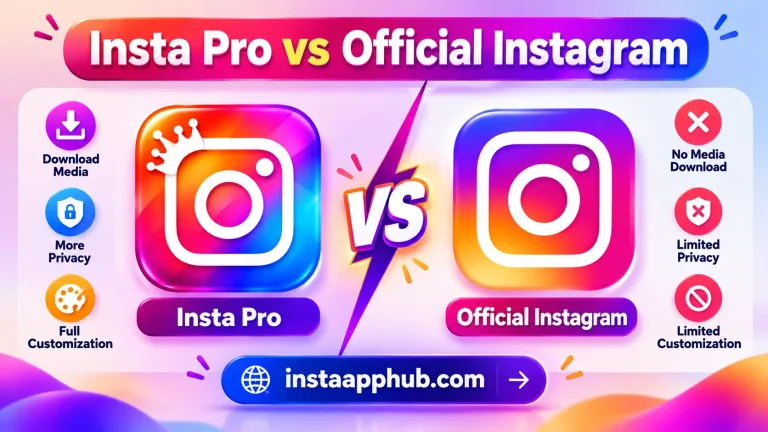
No. Claims about saving media, themes, and privacy depend on the specific build. The exact answer may also depend on your app build, Android version, and Instagram account settings. If the result affects account security, verify it through a trusted official channel rather than relying only on an unofficial app description.
- Technical capability does not remove privacy obligations; seek consent and respect the intended audience.
- No. Service-side events and app behavior can differ, so do not rely on absolute invisibility.
Can I save private stories without permission?
It depends on the APK release and your phone. Check the version details, current app permissions, and official Instagram options before relying on this feature.
Is Ghost Mode guaranteed to hide every view?
It depends on the APK release and your phone. Check the version details, current app permissions, and official Instagram options before relying on this feature.
Does a built-in app lock replace two-factor authentication?
It depends on the APK release and your phone. Check the version details, current app permissions, and official Instagram options before relying on this feature.
Will an ad-free claim remain true?
It depends on the APK release and your phone. Check the version details, current app permissions, and official Instagram options before relying on this feature.
Further Reading on Insta App Hub
Continue with these focused guides if you want to compare features, understand the risks, or solve a specific problem before making a change.
- Is Insta Pro APK Safe? Privacy, Malware and Account Risks
- Insta Pro APK Not Working? 10 Troubleshooting Checks
- How to Update Insta Pro APK Without Losing Important Data
Return to the Insta Pro APK homepage to explore the full guide and related resources.