INSTAAPPHUB · ANDROID GUIDE
Is Insta Pro APK Safe? Privacy, Malware and Account Risks
Clear explanations, practical steps and key considerations for Android users.
Is Insta Pro APK Safe? Privacy, Malware and Account Risks is a practical guide to assessing security and account risk. It is written for Android users who want clear explanations rather than a promise that every unofficial feature works on every device. Insta Pro APK is commonly used as a label for altered Instagram clients, and the details can vary substantially between builds. That distinction matters whenever a feature involves login, downloading media, or a privacy-related setting.
This guide starts with the situations people actually encounter and then examines what to check, what to avoid, and what to do if the experience does not match the claim. We will not describe an unverified APK as virus-free, officially endorsed, or immune to account restrictions. Use the steps as a way to make a careful decision, not as a substitute for reviewing the exact file and its publisher.
Unofficial Does Not Mean Automatically Malicious
Modified clients are not all identical, and risk varies with developer practices and distribution. Two files carrying the same marketing name may contain very different code. The important questions are what the tool actually changes, what data it can access, and whether the result still works after a service update.
- Evaluate the actual file rather than a broad category label. A risk assessment cannot certify a file that has not been independently analyzed. If the action involves account credentials, protected messages or access to someone else’s content, take extra care. If a reliable official method solves the same problem, it is worth comparing that option before accepting the maintenance and trust costs of an unofficial application.
- For a practical evaluation, write down the exact version and the screen where you found the setting. Try to reproduce the ordinary task, such as locating a saved file or testing a visual option, without granting unrelated permissions. A missing control may be a version difference, while a login failure may be caused by a remote service change. Neither issue is automatically solved by downloading another file from an unknown page. When the evidence is limited, leave the feature described as an advertised possibility, not a proven guarantee.
Credential and Session Exposure
Social clients interact with highly sensitive login information and account sessions. A compromised app might misuse session cookies without displaying an obvious password theft screen. The important questions are what the tool actually changes, what data it can access, and whether the result still works after a service update.
- Prefer official sign-in paths and turn on multi-factor authentication. Two-factor authentication may not prevent abuse of an already stolen active session. If the action involves account credentials, protected messages or access to someone else’s content, take extra care. If a reliable official method solves the same problem, it is worth comparing that option before accepting the maintenance and trust costs of an unofficial application.
- For a practical evaluation, write down the exact version and the screen where you found the setting. Try to reproduce the ordinary task, such as locating a saved file or testing a visual option, without granting unrelated permissions. A missing control may be a version difference, while a login failure may be caused by a remote service change. Neither issue is automatically solved by downloading another file from an unknown page. When the evidence is limited, leave the feature described as an advertised possibility, not a proven guarantee.
Malware and Unwanted Behavior
APK files can be repackaged with trackers, advertising SDKs or harmful components. Unexpected device overheating and network use are signals to investigate, although not proof of infection. The important questions are what the tool actually changes, what data it can access, and whether the result still works after a service update.
- Review permissions, battery usage and security alerts after installation. Never dismiss a browser warning solely because other visitors reported success. If the action involves account credentials, protected messages or access to someone else’s content, take extra care. If a reliable official method solves the same problem, it is worth comparing that option before accepting the maintenance and trust costs of an unofficial application.
- For a practical evaluation, write down the exact version and the screen where you found the setting. Try to reproduce the ordinary task, such as locating a saved file or testing a visual option, without granting unrelated permissions. A missing control may be a version difference, while a login failure may be caused by a remote service change. Neither issue is automatically solved by downloading another file from an unknown page. When the evidence is limited, leave the feature described as an advertised possibility, not a proven guarantee.
Practical checklist
- Review permissions, battery usage and security alerts after installation.
- Confirm the actual software version and source before trusting a claim.
- Keep a way to return to your normal, officially supported workflow.
- Never dismiss a browser warning solely because other visitors reported success.
Account Restrictions and Terms
Using altered software can conflict with platform rules or trigger automated checks. A business account restricted during a campaign can lose opportunities beyond the inconvenience of re-login. The important questions are what the tool actually changes, what data it can access, and whether the result still works after a service update.
- Read current platform policies and avoid suspicious automation. No unofficial provider can guarantee immunity from bans. If the action involves account credentials, protected messages or access to someone else’s content, take extra care. If a reliable official method solves the same problem, it is worth comparing that option before accepting the maintenance and trust costs of an unofficial application.
- For a practical evaluation, write down the exact version and the screen where you found the setting. Try to reproduce the ordinary task, such as locating a saved file or testing a visual option, without granting unrelated permissions. A missing control may be a version difference, while a login failure may be caused by a remote service change. Neither issue is automatically solved by downloading another file from an unknown page. When the evidence is limited, leave the feature described as an advertised possibility, not a proven guarantee.
Private Messages and Media
A social client may access conversations, notifications, photos and videos. A file containing customer messages has much higher sensitivity than a public meme. The important questions are what the tool actually changes, what data it can access, and whether the result still works after a service update.
- Avoid testing unknown clients on accounts containing critical personal information. Deleting a file locally cannot undo data already transmitted elsewhere. If the action involves account credentials, protected messages or access to someone else’s content, take extra care. If a reliable official method solves the same problem, it is worth comparing that option before accepting the maintenance and trust costs of an unofficial application.
- For a practical evaluation, write down the exact version and the screen where you found the setting. Try to reproduce the ordinary task, such as locating a saved file or testing a visual option, without granting unrelated permissions. A missing control may be a version difference, while a login failure may be caused by a remote service change. Neither issue is automatically solved by downloading another file from an unknown page. When the evidence is limited, leave the feature described as an advertised possibility, not a proven guarantee.
Update and Supply Chain Problems
There may be no reliable public changelog, audit history or reproducible build. An update promoted as a bug fix can introduce new behavior. The important questions are what the tool actually changes, what data it can access, and whether the result still works after a service update.
- Check publisher continuity and version information before any update. An apparently professional site design does not validate the build. If the action involves account credentials, protected messages or access to someone else’s content, take extra care. If a reliable official method solves the same problem, it is worth comparing that option before accepting the maintenance and trust costs of an unofficial application.
- For a practical evaluation, write down the exact version and the screen where you found the setting. Try to reproduce the ordinary task, such as locating a saved file or testing a visual option, without granting unrelated permissions. A missing control may be a version difference, while a login failure may be caused by a remote service change. Neither issue is automatically solved by downloading another file from an unknown page. When the evidence is limited, leave the feature described as an advertised possibility, not a proven guarantee.
Signs to Stop Using a Build
Unusual account alerts, unexpected permissions and intrusive overlays warrant caution. A login prompt appearing after every app launch may be a reliability defect or a phishing attempt. The important questions are what the tool actually changes, what data it can access, and whether the result still works after a service update.
- Document the symptoms, uninstall and inspect your account from a trusted device. Do not send login codes to a purported support contact. If the action involves account credentials, protected messages or access to someone else’s content, take extra care. If a reliable official method solves the same problem, it is worth comparing that option before accepting the maintenance and trust costs of an unofficial application.
- For a practical evaluation, write down the exact version and the screen where you found the setting. Try to reproduce the ordinary task, such as locating a saved file or testing a visual option, without granting unrelated permissions. A missing control may be a version difference, while a login failure may be caused by a remote service change. Neither issue is automatically solved by downloading another file from an unknown page. When the evidence is limited, leave the feature described as an advertised possibility, not a proven guarantee.
Practical checklist
- Document the symptoms, uninstall and inspect your account from a trusted device.
- Confirm the actual software version and source before trusting a claim.
- Keep a way to return to your normal, officially supported workflow.
- Do not send login codes to a purported support contact.
Steps That Lower Exposure
No checklist eliminates risk, but basic account hygiene limits consequences. People often install APKs casually and forget the permission to install further apps remains enabled. The important questions are what the tool actually changes, what data it can access, and whether the result still works after a service update.
- Use a current Android release, review sessions and turn off unused installation privileges. Security scans and positive reviews offer limited evidence, not absolute protection. If the action involves account credentials, protected messages or access to someone else’s content, take extra care. If a reliable official method solves the same problem, it is worth comparing that option before accepting the maintenance and trust costs of an unofficial application.
- For a practical evaluation, write down the exact version and the screen where you found the setting. Try to reproduce the ordinary task, such as locating a saved file or testing a visual option, without granting unrelated permissions. A missing control may be a version difference, while a login failure may be caused by a remote service change. Neither issue is automatically solved by downloading another file from an unknown page. When the evidence is limited, leave the feature described as an advertised possibility, not a proven guarantee.
Decision Framework
Compare the specific benefit to the account and data you might lose. A hobby account and an account used to communicate with customers have very different tolerances. The important questions are what the tool actually changes, what data it can access, and whether the result still works after a service update.
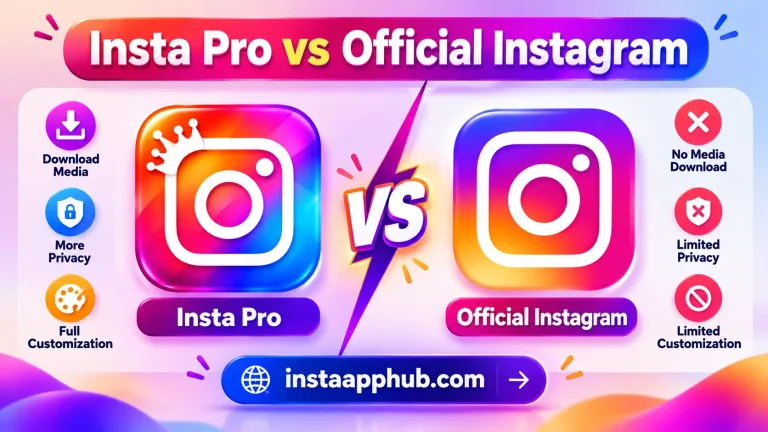
- If an official feature or legitimate creator download solves the need, choose that route. The safest option for most users is the official Instagram application. If the action involves account credentials, protected messages or access to someone else’s content, take extra care. If a reliable official method solves the same problem, it is worth comparing that option before accepting the maintenance and trust costs of an unofficial application.
- For a practical evaluation, write down the exact version and the screen where you found the setting. Try to reproduce the ordinary task, such as locating a saved file or testing a visual option, without granting unrelated permissions. A missing control may be a version difference, while a login failure may be caused by a remote service change. Neither issue is automatically solved by downloading another file from an unknown page. When the evidence is limited, leave the feature described as an advertised possibility, not a proven guarantee.
Questions Readers Often Ask
Is Insta Pro 100 percent safe?
No responsible provider can guarantee that without evaluating the exact software and its future behavior. The exact answer may also depend on your app build, Android version, and Instagram account settings. If the result affects account security, verify it through a trusted official channel rather than relying only on an unofficial app description.
- Unofficial clients may violate platform requirements or trigger account security checks.
- No. Branding and visual appearance are not reliable proof of authorship.
Could my account be restricted?
Some modified clients request normal account sign-in, but giving credentials to an unverified client introduces additional risks. The official app is the safest default.
Does a familiar logo mean the APK is official?
It depends on the APK release and your phone. Check the version details, current app permissions, and official Instagram options before relying on this feature.
What if I entered credentials in a suspicious app?
It depends on the APK release and your phone. Check the version details, current app permissions, and official Instagram options before relying on this feature.
What app should I use for sensitive accounts?
Some modified clients request normal account sign-in, but giving credentials to an unverified client introduces additional risks. The official app is the safest default.
Further Reading on Insta App Hub
Continue with these focused guides if you want to compare features, understand the risks, or solve a specific problem before making a change.
- How to Install Insta Pro APK on Android: Step by Step
- How to Download Instagram Reels, Photos and Stories Responsibly
- Best Alternatives to Insta Pro APK for Android Users
Return to the Insta Pro APK homepage to explore the full guide and related resources.